


How does Transparent Trailer View work on a 2026 Chevrolet Silverado 2500 HD around Wellington, OH?
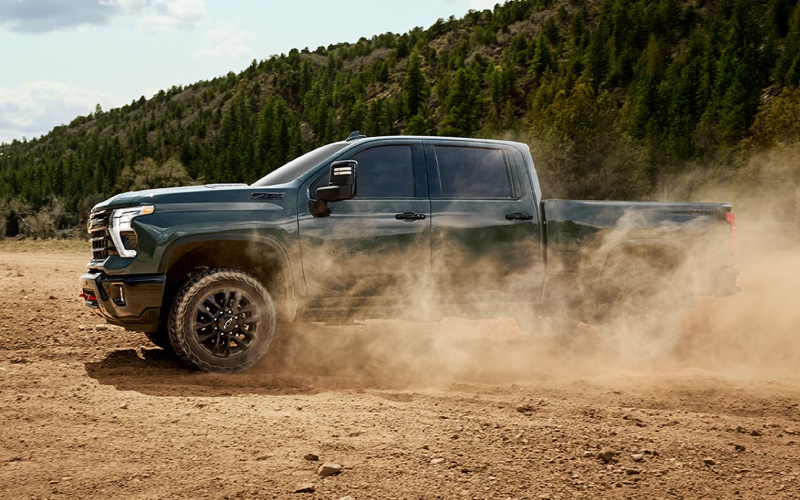
Valley Chevrolet – How does Transparent Trailer View work on a 2026 Chevrolet Silverado 2500 HD around Wellington, OH?
Clear sightlines make towing safer and less stressful, and that’s exactly why Transparent Trailer View on the 2026 Chevrolet Silverado 2500 HD is such a difference-maker. If you’ve ever wished you could “see through” the trailer while driving or backing, this available camera view gets you closer than you might think—especially useful around farm lanes, jobsite entrances, or two-lane stretches near Wellington, OH where confidence matters.
Below, we break down what Transparent Trailer View is, how it works, what you need for compatibility, and how to use it effectively with other Silverado HD camera views and trailering tech.
What Transparent Trailer View Is
Transparent Trailer View is an available camera-based display mode that helps the driver virtually “see through” a properly equipped and compatible trailer. By blending input from cameras mounted on the truck and, when applicable, accessory trailer cameras, Silverado HD can render a view where the trailer becomes semi-transparent on the infotainment screen. The effect helps you check traffic behind you, monitor merging lanes, and better judge distances while changing lanes or backing—especially when towing a tall enclosed trailer or lengthy camper.
How It Works
The system uses a rear-view camera on the truck combined with a calibrated feed that accounts for the trailer’s width and length. When enabled, the software stitches these inputs together and effectively removes the opaque portion of the trailer from your display, revealing what’s directly behind it. It’s particularly helpful in maintaining awareness of vehicles approaching from behind or obstacles lining a narrow driveway. The 2026 Silverado 2500 HD pairs this view with other available camera modes, like Hitch View and Bed View, so you can toggle the perspective you need at each step—from coupling to maneuvering.
What You Need For Compatibility
Transparent Trailer View supports a range of trailers, including when you’re using an available fifth-wheel or gooseneck setup. To work correctly, your truck must be equipped with the appropriate camera package and you’ll need to input accurate trailer dimensions into the In-Vehicle Trailering App. If you add an available accessory camera to the rear of your trailer, the system can refine its rendering further. Silverado HD’s available 8 cameras with up to 14 views open the door to this capability, so ensure your build includes the trailering camera package you want before you finalize your order.
Why It Matters Around Wellington, OH
Local roads can mix open stretches with tight turns, narrow lanes, and construction zones—settings where visibility is everything. Transparent Trailer View can make it easier to confirm that the lane is clear before a pass, spot a fast-approaching vehicle while merging, and keep track of bicycles or vehicles as you navigate a parking lot. Pair it with Trailer Side Blind Zone Alert for mirror-based alerts when a moving vehicle is detected in the side blind zone alongside your truck and trailer, and you build a multi-layered safety net that supports good judgment.
Using Transparent Trailer View Step by Step
Start with the basics—accurate trailer data and a quick camera check. Then it’s all about choosing the right view for the task at hand, toggling as you go.
- Confirm trailer profile in the In-Vehicle Trailering App
- Enter length and width to support accurate rendering
- Verify camera connections and clean lenses
- Use Hitch View to align quickly during hookup
- Select Transparent Trailer View once you’re rolling
- Toggle to Bed View for fifth-wheel or gooseneck checks
- Rely on Trailer Side Blind Zone Alert for lane-change awareness
- Use the app’s checklists before departure and post-arrival
This rhythm lets you use the best angle for each moment—Hitch View for alignment, Bed View to confirm pin placement or cargo stability, and Transparent Trailer View to maintain rearward situational awareness on the move.
Other Helpful Silverado HD Camera Views
Transparent Trailer View is often the star, but other available camera views complement it seamlessly. Hitch View gives you a close-up look at the receiver to help you line up the ball and coupler the first time. Bed View is great for periodically checking cargo straps or confirming clearances while towing a fifth-wheel or gooseneck. When combined with HD Surround Vision on select trims, you can also gain a bird’s-eye perspective to help with tight parking or negotiating obstacles on the way to a campsite or worksite.
Tech That Works With Your Cameras
The In-Vehicle Trailering App ties your tools together with custom trailer profiles, checklists, and status indicators. Inside the cabin, the available 13.4-inch touch-screen and available 12.3-inch Driver Information Center make it easy to keep the right info in view. Wireless Apple CarPlay® and Android Auto™ compatibility ensure your directions, calls, and music are accessible without extra cords, and Google built-in lets you use voice prompts for navigation or to adjust settings while you keep your hands on the wheel.
Practical Tips For Better Results
Small steps compound your results. Keep camera lenses clean, especially during dusty workdays or after rain. Double-check trailer profile details in the app if you switch trailers or add accessories that change dimensions. Practice switching views in a safe, open area so view changes feel second-nature when traffic gets busy. And remember: these technologies are designed to support—not replace—attentive driving habits and safe speeds.
Frequently Asked Questions:
Does Transparent Trailer View work with fifth-wheel and gooseneck setups?
Yes. Transparent Trailer View is designed to work with compatible trailers, including when you use an available fifth-wheel or gooseneck hitch. Enter accurate trailer dimensions and ensure your camera package is properly configured.
Do I need an accessory camera on my trailer?
While the system can operate using the truck’s cameras, adding an available accessory camera at the rear of the trailer can improve the rendering and expand your overall camera coverage.
How do I enable Transparent Trailer View while driving?
After confirming your trailer profile in the In-Vehicle Trailering App, select the camera app on the infotainment screen and choose Transparent Trailer View. You can switch views on the fly as conditions change.
What other features help with towing confidence?
Hitch View and Bed View simplify hitching and quick checks, while Trailer Side Blind Zone Alert provides visual alerts in your mirror when a moving vehicle is detected in the side blind zone alongside your truck and trailer. The In-Vehicle Trailering App brings it all together with profiles and checklists.
Transparent Trailer View is one of those features you appreciate more every mile you tow. If you want a hands-on walk-through, Valley Chevrolet can demonstrate the camera views, help you configure a trailer profile, and show how the In-Vehicle Trailering App streamlines your prep. We’re serving Wellington, Medina, and LaGrange with product specialists who work with these tools daily and can help you get the most from your truck from day one.
0 comment(s) so far on How does Transparent Trailer View work on a 2026 Chevrolet Silverado 2500 HD around Wellington, OH?